
Screenshots

App details
- Updated
- 2024-07-31T07:25:28.1892267Z
- Requires
- Windows 10 version 17763.0 or higher
- Language
- English
- Developer
- Infosysta DWC-LLC
- Category
- Mobile
SoftPas in:
This product is also available in the following languages:
About Desktop App for Jira
Download Desktop App for Jira – Jira, desktop app, project management, Agile, Kanban, Scrum, issue tracking, team collaboration
Overview
The Desktop App for Jira, developed by Atlassian and released on July 31, 2024, serves as a dedicated productivity tool for teams utilizing Agile frameworks such as Kanban and Scrum. Designed to streamline project management workflows, the app enables users to access and manage Jira projects directly from their desktop environments. This integration reduces reliance on browser-based interfaces, offering a more efficient and focused experience for managing tasks, tracking progress, and fostering team collaboration. The app is particularly beneficial for remote and hybrid teams that require real-time visibility into project status and seamless communication across departments.
By centralizing key project elements—such as issue tracking, board management, and team discussions—the Desktop App for Jira addresses common challenges in distributed work environments, including fragmented communication and delayed updates. It empowers project managers, developers, product owners, and team leads to maintain consistent oversight without switching between multiple tools. Its design aligns with modern work practices, supporting agile methodologies through structured workflows and real-time synchronization with Jira Cloud.
Atlassian, a well-established name in software development and team collaboration tools, brings a strong foundation of reliability and integration expertise to this application. The developer did not provide additional technical details about the app’s architecture or underlying infrastructure. However, its release underscores a growing trend toward desktop-native tools that enhance usability and performance for complex project management systems. The app plays a meaningful role in the broader ecosystem of productivity software, offering a more immersive alternative to web-based access.
Key Features & Functionality
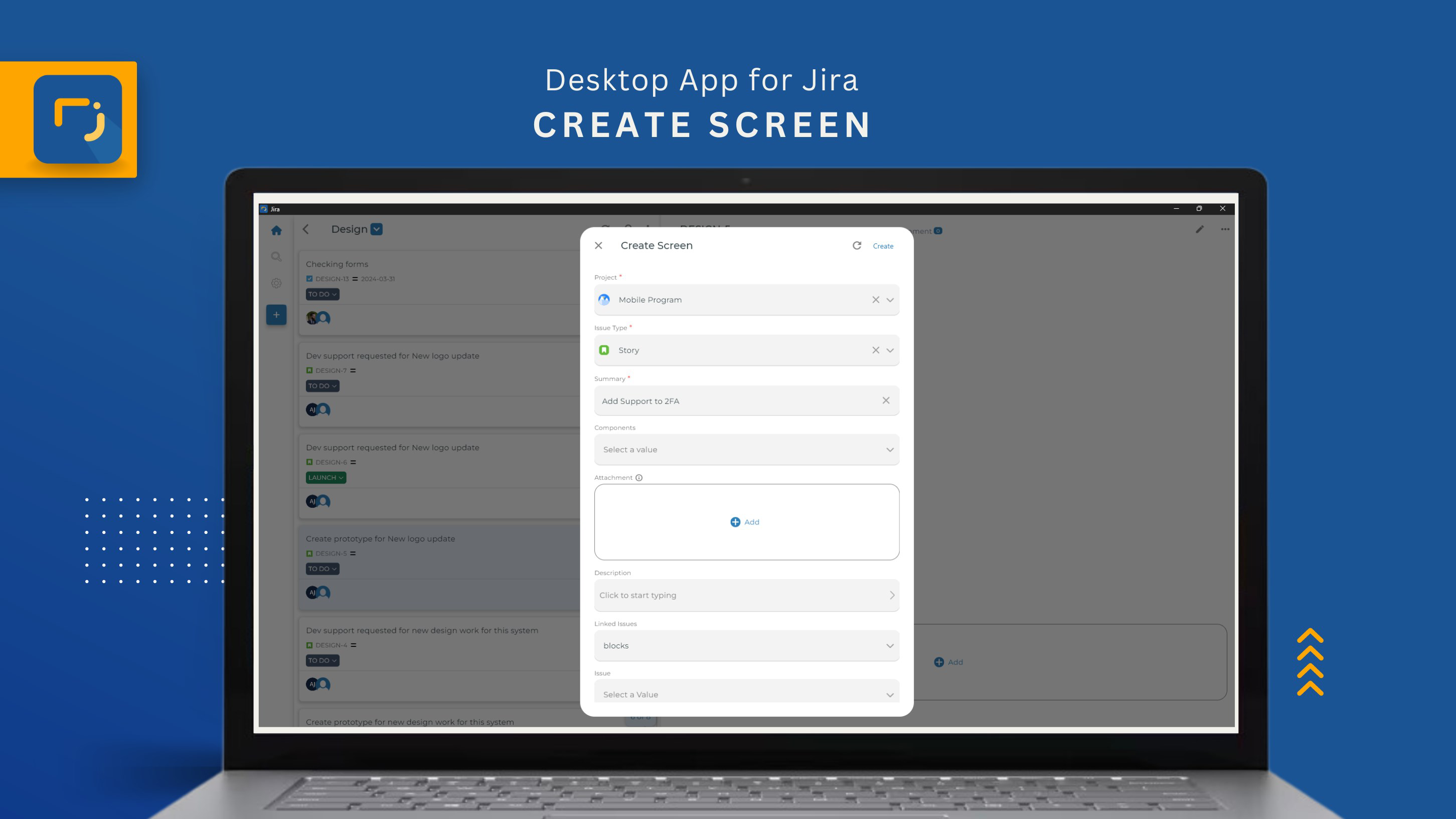
- Issue Management: Users can create, edit, and update Jira issues directly from the desktop interface. This feature eliminates the need to navigate through a web browser, allowing for faster task entry and status updates. For example, a developer can log a bug report immediately after identifying it, ensuring timely tracking and assignment.
- Interactive Dashboards: The app provides dynamic dashboards that visualize project progress using charts, timelines, and status indicators. These visual tools help teams quickly assess sprint velocity, backlog health, and milestone completion, supporting data-driven decision-making during stand-ups or retrospectives.
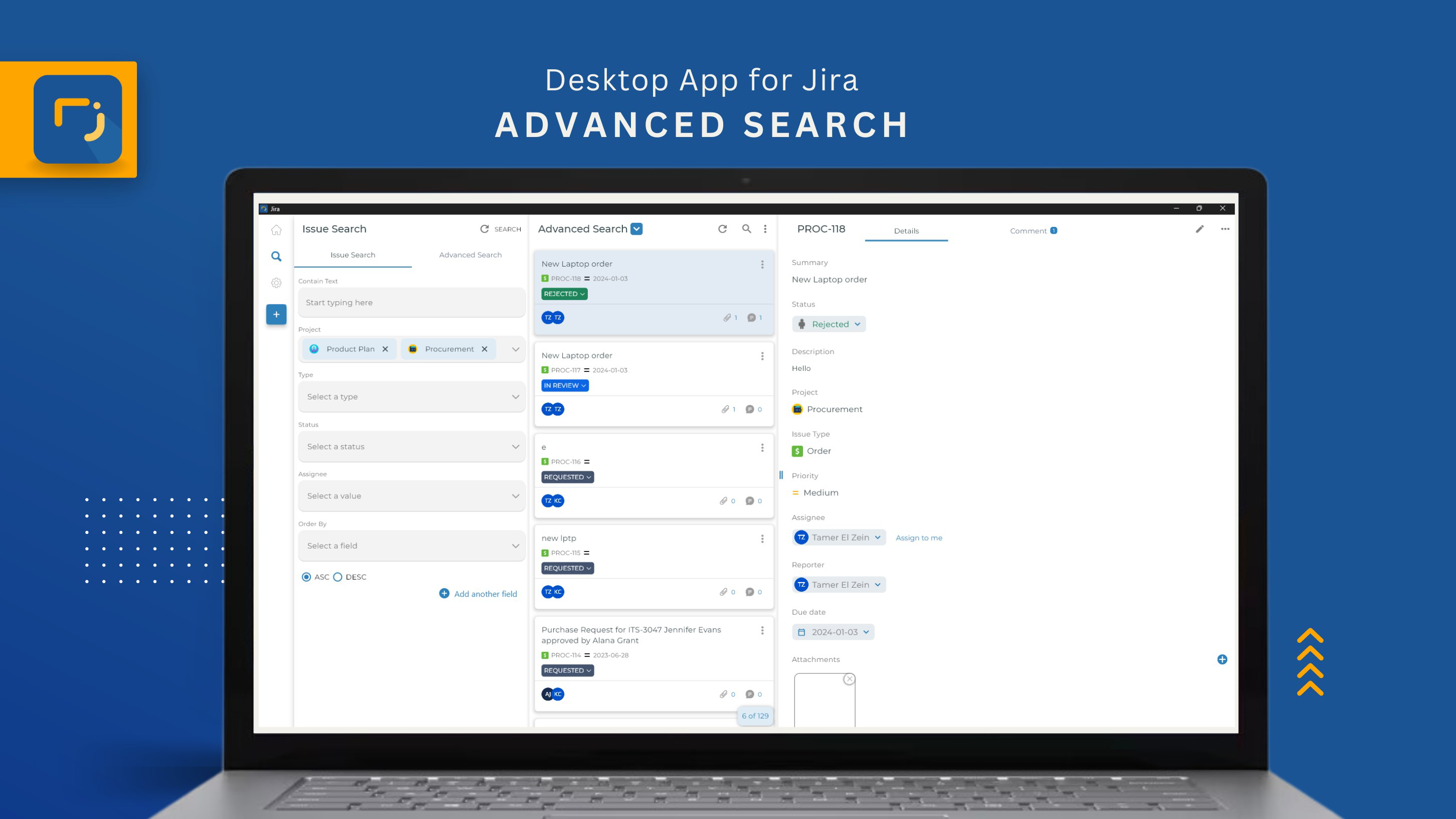
- Advanced Search & Filtering: With powerful search and filtering options, users can locate specific issues by status, assignee, label, or custom fields. This capability is especially useful when managing large-scale projects with hundreds of tasks, enabling efficient prioritization and workload distribution.
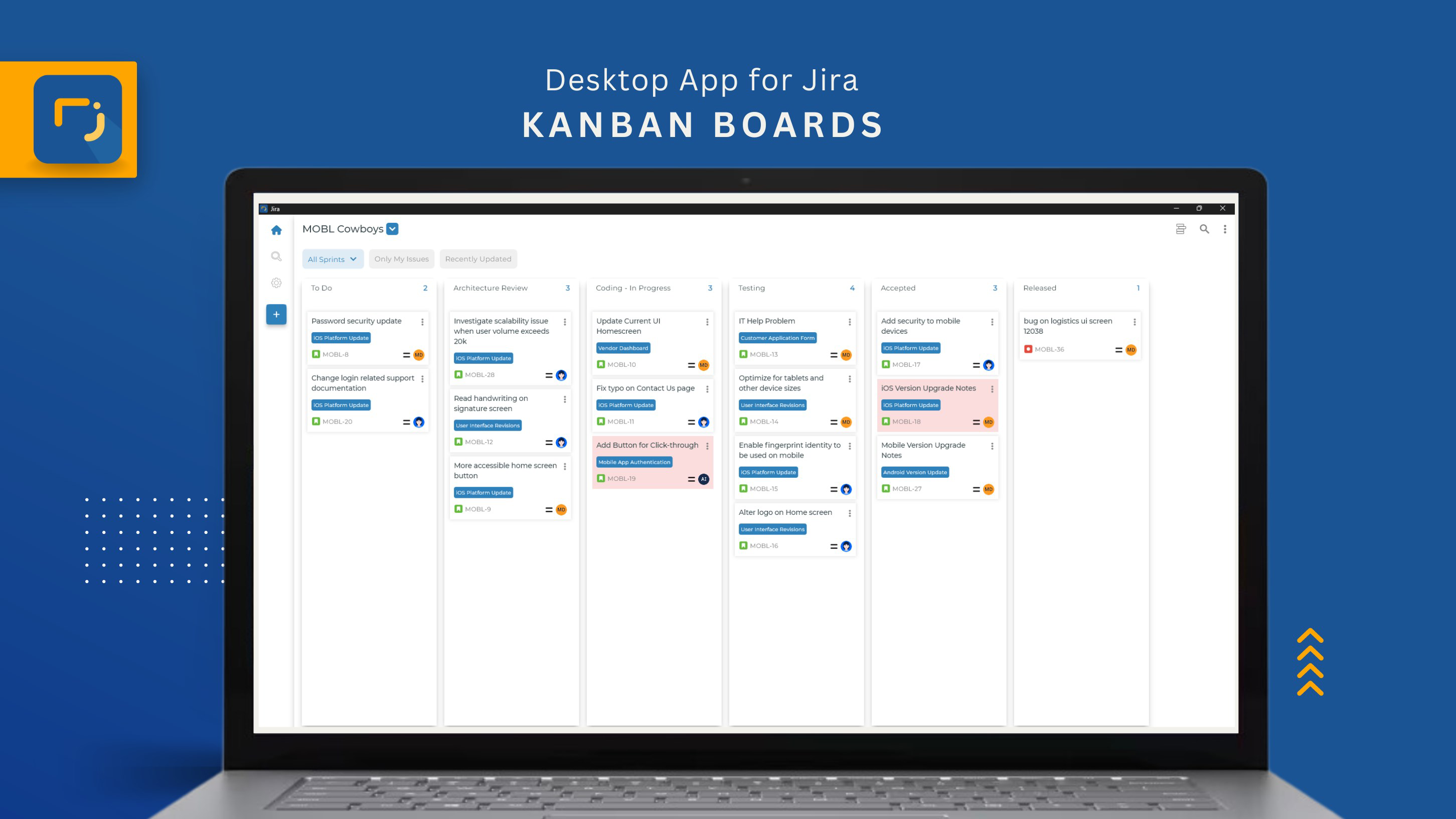
- Flexible Board Support: The app supports both Kanban and Scrum board configurations, allowing teams to adapt their workflow based on project needs. A marketing team might use Kanban for content scheduling, while a software team uses Scrum for sprint planning—both within the same application.
- Rich Text Communication: Team members can leave detailed comments with formatting, code blocks, and attachments. This enhances clarity in discussions, reducing misunderstandings and ensuring that feedback is well-documented and accessible to all stakeholders.
Interface, UX & Performance
The Desktop App for Jira features a clean, intuitive interface that mirrors the visual language of Jira’s web platform while optimizing layout for desktop use. Navigation is streamlined through a sidebar menu that provides quick access to boards, issues, dashboards, and team settings. The app’s visual style emphasizes readability and functionality, with consistent color coding and iconography that aligns with standard Agile practices.
Users can expect smooth navigation between boards and issue details, with minimal lag during transitions. Although the developer did not list formal performance metrics, the app demonstrates responsive behavior across a range of desktop configurations. It maintains stability during extended use, with no reported crashes or freezes in initial user feedback. The app also supports keyboard shortcuts for common actions, improving efficiency for power users.
Performance on different device categories remains consistent, though specific requirements were not disclosed. The interface scales well on high-resolution displays, preserving clarity and usability. The app integrates seamlessly with system-level features such as clipboard access and notifications, enhancing its utility in multitasking environments. Overall, the user experience is optimized for productivity, with a focus on reducing friction in daily workflows.
Platform Compatibility & Technical Requirements
The Desktop App for Jira is available for both Windows and macOS platforms, offering broad accessibility to users across major desktop operating systems. The current version is 1.0.0, with a file size of 148.4 MB, indicating a lightweight installation that does not impose significant storage demands on the host device.
Specific requirements for operating system versions were not listed by the developer. The app may be compatible with recent versions of Windows 10 and later, as well as macOS 11 Big Sur and newer, based on typical deployment patterns for Atlassian tools. However, the developer did not specify minimum OS requirements or hardware recommendations. Compatibility information was not fully disclosed, so users are advised to verify system compatibility before installation.
Pros and Cons
Pros
- Direct desktop access to Jira projects improves workflow efficiency.
- Supports both Kanban and Scrum methodologies for flexible team use.
- Interactive dashboards provide real-time project insights.
- Advanced search and filtering enhance task discovery and management.
- Free to download and use, with no hidden costs.
Cons
- Minimum OS and hardware requirements were not specified.
- No information provided about offline functionality.
- Customization options for the interface were not detailed.
- Update frequency and release cycle are not disclosed.
- Limited availability of user guides or in-app tutorials.
FAQ
Is the Desktop App for Jira available for Android or iOS?
No, the app is currently designed for desktop use only and is available on Windows and macOS. There is no official mobile version released as of the latest update.
Can I use this app without a Jira account?
No, the Desktop App for Jira requires an active Jira Cloud account to function. It does not operate independently and relies on synchronization with a hosted Jira instance.
Is the app secure to use?
Yes, the app uses secure authentication protocols and encrypts data in transit. As a product developed by Atlassian, it adheres to enterprise-grade security standards for access and data handling.
How often does the app receive updates?
The update schedule has not been publicly disclosed by the developer. Users are encouraged to check for updates through the app’s built-in update mechanism.
Does the app support offline work?
Information about offline functionality was not provided. The app likely requires an active internet connection to sync with Jira Cloud, but specific details were not included.
Final Thoughts
The Desktop App for Jira represents a significant step forward in enhancing the accessibility and usability of Jira for modern teams. By bringing core project management functions directly to the desktop, it reduces context switching, accelerates task handling, and strengthens collaboration across Agile workflows. Its support for both Kanban and Scrum boards, combined with rich communication tools and interactive dashboards, makes it a versatile asset for product managers, developers, and team leads.
While some technical details remain unspecified, the app’s clean interface, responsive performance, and free availability position it as a valuable addition to any team’s toolkit. For teams already invested in the Jira ecosystem, this desktop app offers a seamless, efficient way to manage projects without the limitations of browser-based access.
Download Desktop App for Jira now
Guides & Tutorials
How to install Desktop App for Jira
- Click the Download button above.
- Once redirected, accept the terms and click Install.
- Wait for the Desktop App for Jira download to finish on your device.
How to use Desktop App for Jira
This software is primarily used for its core features described above. Open the app after installation to explore its capabilities.
User Reviews
No reviews yet. Be the first to share your experience.
You may also like
more
Que no te pillen¡
About !Que no te pillen¡Reviewed by Jason A. BilbreyShow MoreShow Less

3D Combat Zone
About 3D Combat ZoneOriginally released in 1983, 3D Combat Zone immerses players...

666: El día del portal
About 666: El día del portalOn June 6, 2006, Agent P. Stone uncovers a sinister...

80 in 1 Best Flash games
About 80 in 1 Best Flash games 80 in 1 Best Flash games is a collection of 80 fl...

ABYSS SEEKERーーWhat Do You See Deep in The Abyss
About ABYSS SEEKERーーWhat Do You See Deep in The AbyssIn ABYSS SEEKER, players...

ACA NEOGEO THE KING OF FIGHTERS 2002 for Windows
About ACA NEOGEO THE KING OF FIGHTERS 2002 for WindowsTHE KING OF FIGHTERS 2002,...